Let the content set the height.
Content-sized cards and independent scrolling replace the oversized fixed layout. Save and Skip stay visible at every text size.
Project / Case study
Less looking. Something worth doing.
A native iOS app I designed and built for the moment you want to do something, but don’t know what. Open it, choose an idea, get on with your day.
Explore the app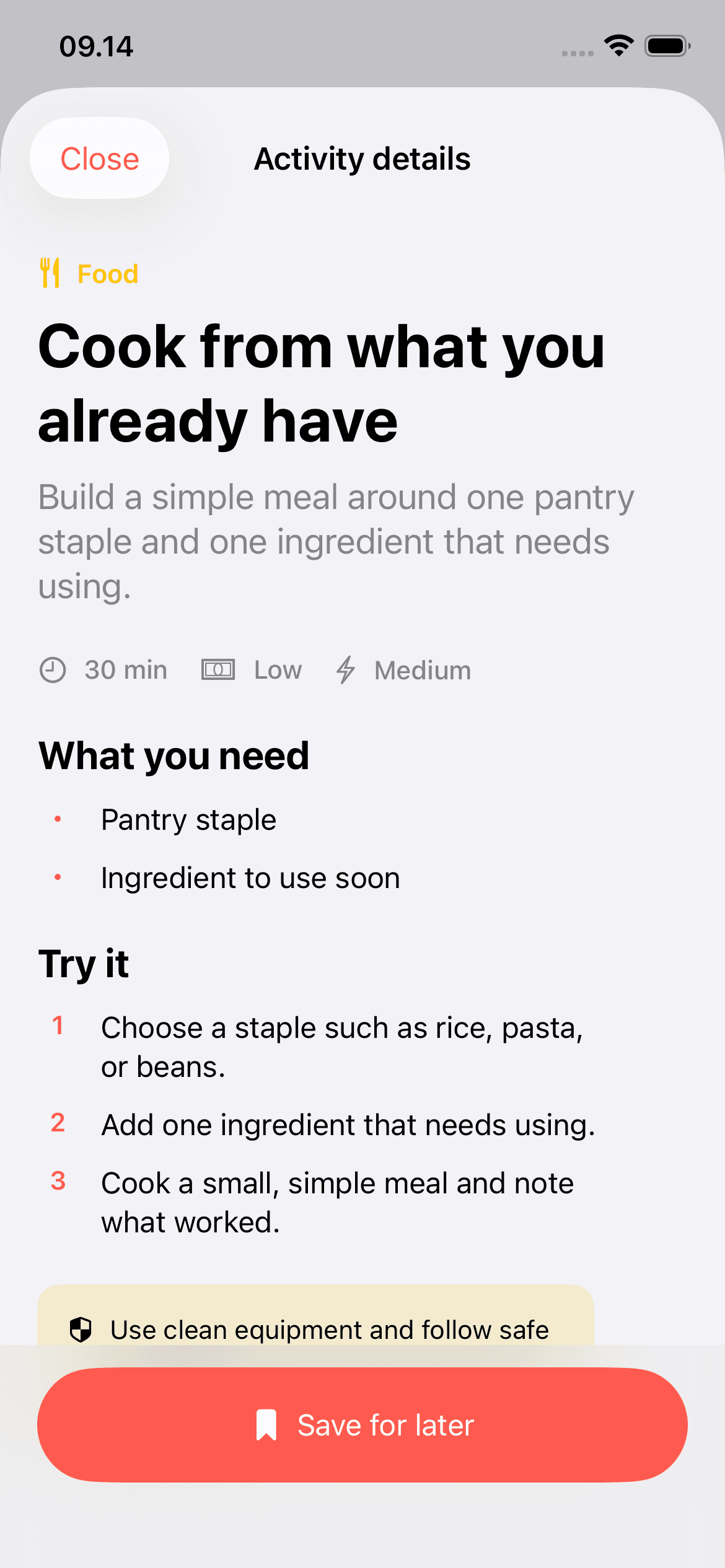
Search works when you know what you want. I built Endless Activity for the opposite moment: a little free time and no particular plan.
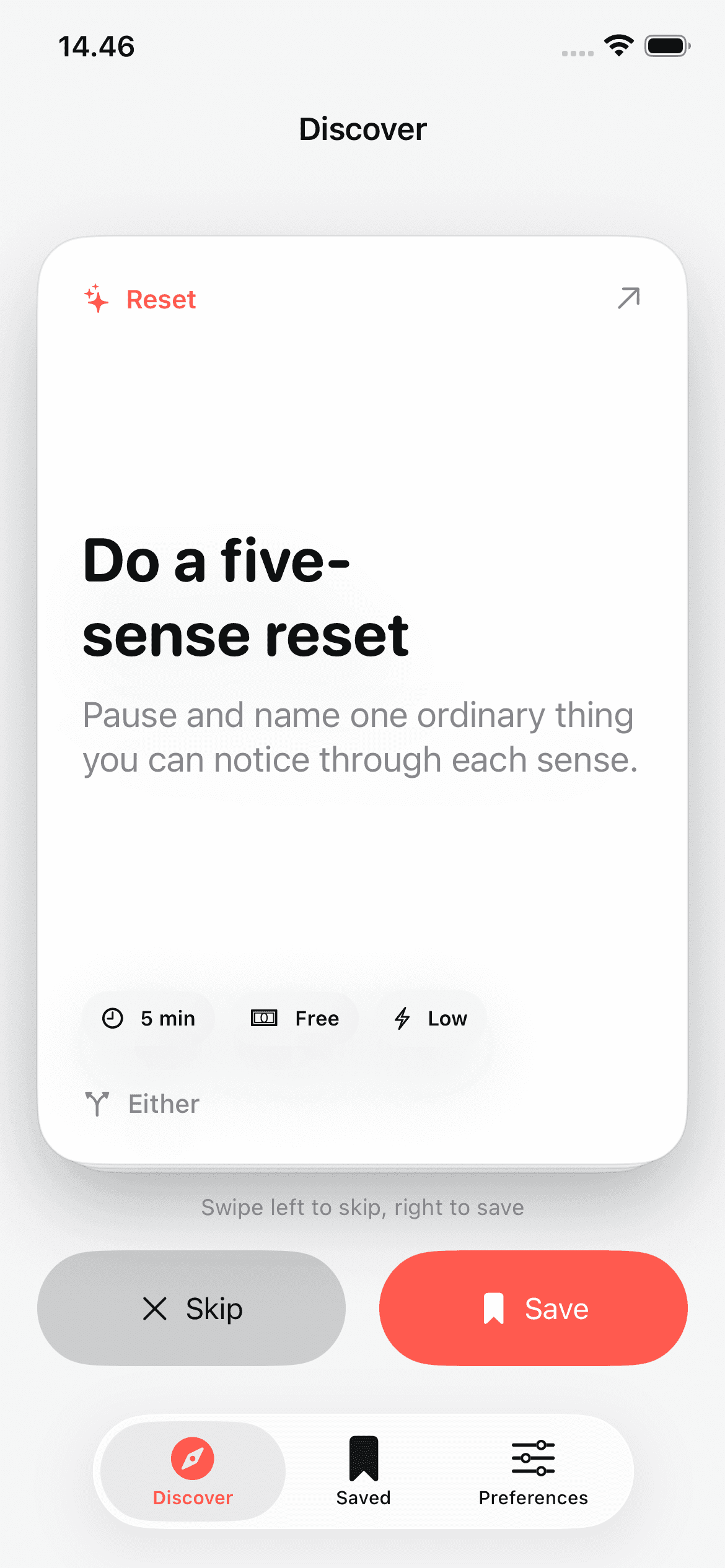
The first screen gives you one doable suggestion. Time, cost, and energy help you decide. Nothing stands between opening the app and the first idea.
A solo-first, offline MVP with 50 curated activities.
Explore four moments in the app. Each screen pairs the interaction with the decision behind it.
Cook from what you already have. Thirty minutes, indoors, medium energy. Enough context to decide before opening another screen.
Swipe right to save, left to skip. Visible buttons and named VoiceOver actions do the same job; a partial drag springs back.
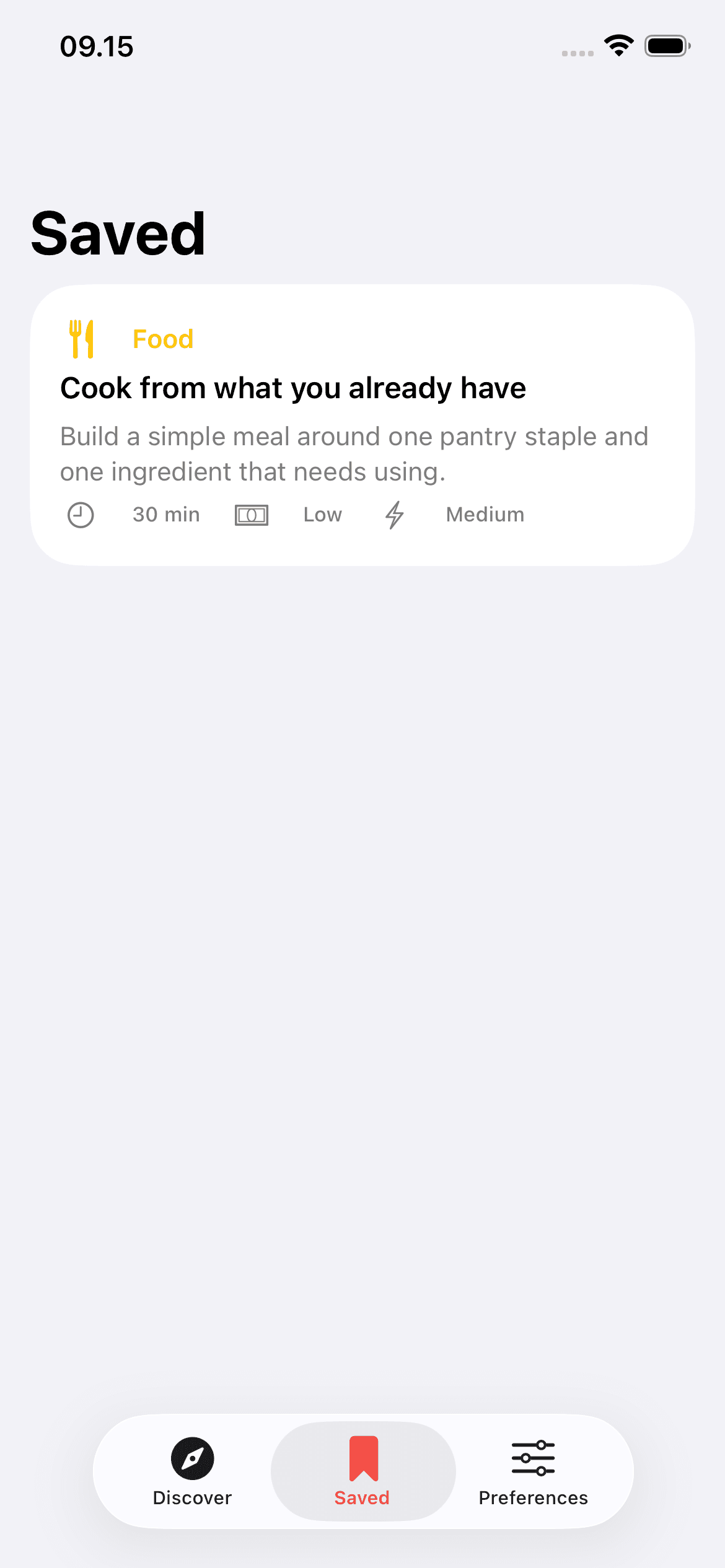
Save and skip advance the deck and persist locally.
Discover an idea, look closer, save it, and tune what comes next.
This walkthrough is assembled from verified simulator captures. It shows the implemented screens rather than a continuous gesture recording.
October refinements address what happens when the content or text size grows.
Content-sized cards and independent scrolling replace the oversized fixed layout. Save and Skip stay visible at every text size.
Decorative back layers preserve the stacked-deck feel without letting another activity’s text leak around the active card.
Adaptive secondary text strengthens contrast across Discover, details, Saved, and Preferences.
Implemented 2 October 2026. App and test-target compilation recorded with the iOS 27 SDK; fresh simulator and large-text visual checks remain pending. The captures above show the earlier build.
Every swipe changes your deck. The source catalog stays intact.
50 bundled activities, decoded and validated before use.
Practical filters, saved-category and tag boosts, reproducible ordering.
SwiftUI deck state and a Codable UserDefaults store for signals and preferences.
12 unit tests. 7 UI tests.
Recorded full simulator run: 28 June 2026. Catalog, ranking, save/skip, filters, details, and relaunch persistence. October corrections still need simulator re-verification.
A working native MVP, built to run offline.
No App Store release or user-outcome claims. Accounts, live events, booking, and generated activities remain outside v1.
Explore the other current projects where product thinking is carried through interface, architecture, testing, and release.
From market context to a research note you can inspect
Prompt-first route planning for adventure travelers
A native macOS focus-and-reset loop
A native iOS port of a 2000s racing favorite